What if Google just dropped six major Gemini updates in a single week and almost nobody noticed? What if the tools you are using right now are already outdated without you realizing it? AI is moving so fast that most users are still catching up to last month’s features while new systems are already replacing them in the background. Here is a clear breakdown of what just changed and why it matters.
Google Health App Powered by Gemini
Google has officially rebranded the Fitbit app into the new Google Health app. This update rolls out automatically on May 19th, so users do not need to install anything separately. The entire experience is now centered around a Gemini-powered Health Coach.
Inside the app, everything is organized into four main sections: today, fitness, sleep, and health. The today tab gives real-time insights and recommendations based on your activity. The fitness tab generates weekly workout plans using natural language input, meaning you can simply describe what you want, and the system builds it for you.
The sleep tab tracks patterns and shows weekly consistency in a simple format. The health tab goes further by allowing users in supported regions to sync medical records and get simplified explanations. Instead of reading complex reports, users can just ask what their results mean and receive a clear summary.
The key change here is that health data is no longer just visual charts. It becomes conversational, interactive, and easier to understand through AI assistance.
Gemma 4 Speed Improvements With Multi Token Prediction
Google has also upgraded its open model family Gemma 4 with a feature called multi-token prediction drafters. This update makes the model up to three times faster during inference.
Inference is the process by which the AI generates responses. In simple terms, everything built on Gemma 4 now responds much faster without reducing output quality. Google claims there is no loss in reasoning ability, only improved speed.
This matters because speed directly affects user experience. If an AI tool takes too long, people stop using it. With this update, coding assistants, voice applications, and multi-step AI agents will feel much smoother and more responsive in everyday use.
Notebook LM Introduces Mind Maps
Notebook LM has added a powerful new feature called mind maps. Users can upload documents, PDFs, or articles, and the system automatically generates a structured visual map of the content.
Main topics appear in the center, with related branches and subtopics expanding outward. Users can zoom in, collapse sections, and explore the structure of the information visually.
The most useful part is interaction. You can click on any node inside the map and ask questions directly about that section. This removes the need to manually scan through long documents and helps users focus only on relevant parts of the content.
This feature is especially useful for learning, research, and organizing complex information into something easier to understand.
Gemini API Now Supports Multimodal File Search
Google has upgraded the Gemini API with multimodal file search powered by Gemini embedding 2. This allows users to search across both text and images together instead of only text-based queries.
For example, instead of searching by file name or keyword, users can describe an image or concept, and the system can locate it based on meaning and context.
There are also improvements like custom metadata tagging and page-level citations. This means results from long documents can be traced back to exact pages, improving transparency and accuracy.
This update is important because it reduces errors and makes information retrieval more reliable across different formats.
Webhooks Improve Real-Time AI Responses
Gemini API now supports webhooks, which improves how long-running AI tasks are handled. Earlier, applications had to constantly check if a task was complete. This method is slow and inefficient.
With webhooks, the system automatically notifies the application when a task is finished. This makes AI systems more responsive, especially for tasks like video generation, large-scale processing, and multi-step research workflows.
The result is smoother automation and reduced delay in AI-powered applications.
Google TV Adds Gemini Creative Features
Google has also brought Gemini into Google TV with several creative tools. Users can now create and edit images using voice commands through a feature called Nano Banana. For example, you can ask the system to modify photos, change backgrounds, or apply creative edits.
Another feature called Veo allows users to generate short videos directly from prompts or images. This makes content creation accessible on a television interface.
Google Photos integration now supports voice search, letting users find specific memories using natural language. There are also photo remix features that apply artistic styles like watercolor or oil painting.
Dynamic slideshows turn photo albums into animated screensavers, making the TV a more personal and interactive display device.
These features are gradually rolling out across supported Google TV devices and regions.
Overall Impact of These Updates
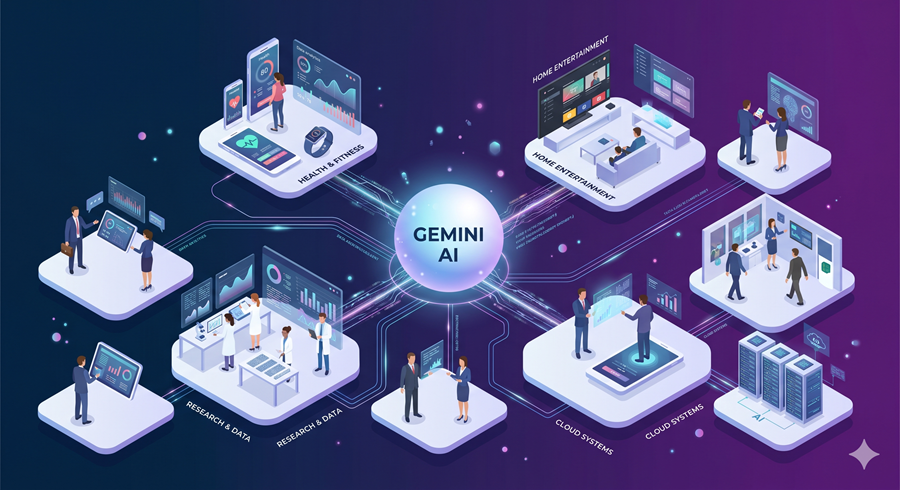
All these updates point in the same direction. Google is turning Gemini into a system that is faster, more visual, more conversational, and deeply integrated into everyday tools. From health tracking to research, from coding to entertainment, AI is becoming less of a separate tool and more of an invisible layer across products people already use.
The biggest shift is not just capability. It is accessibility. Users no longer need technical skills to interact with complex systems. They simply ask, and the system responds in natural language across multiple formats like text, images, video, and structured data.