Google is introducing a major shift in how Android devices operate with the rollout of Gemini Intelligence. This is not just an assistant upgrade but a full system-level transformation where AI becomes a proactive layer across phones, apps, web, and even cars. The idea is simple but powerful: devices should not wait for commands, they should understand intent, act proactively, and complete tasks across the ecosystem.
From Assistant to Agentic System
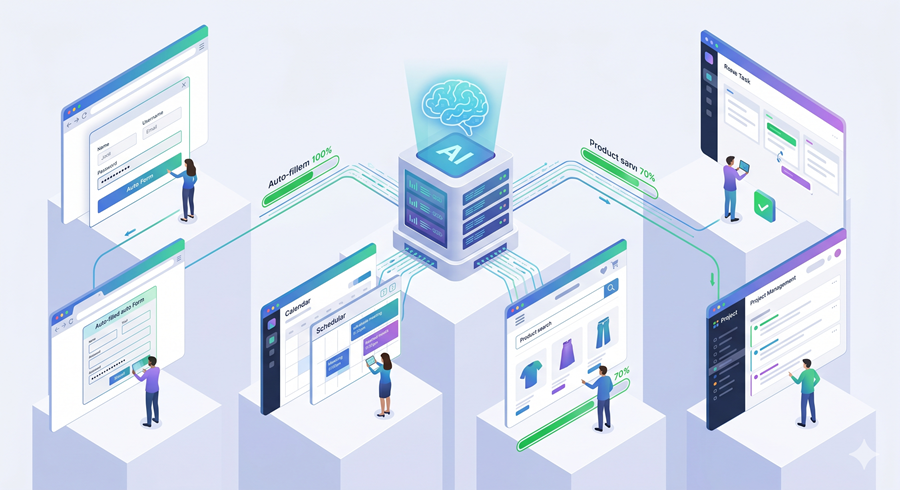
Gemini Intelligence is designed to move beyond traditional voice assistants. Instead of answering isolated queries, it can plan actions, execute tasks across apps, and even automate workflows on the web through Chrome integration. For example, it can analyze a picture, understand context, and complete real-world actions like finding products, booking services, or filling forms automatically.
This shift represents a transition from reactive computing to agentic computing, where the system continuously supports the user across multiple steps instead of stopping at a single response.
Multimodal Understanding and Real World Actions
One of the key upgrades is multimodal intelligence. Gemini can process text, images, voice, and contextual signals together. This allows users to interact naturally without structured prompts.
For example, a user can take a photo of a travel brochure and ask Gemini to find similar trips for a group. The system can interpret the image, understand the intent, search external services, and present options. It also shows progress in real time through notifications, making the experience transparent and interactive.
Rambler Feature: Natural Communication Processing
A major usability improvement comes from a system called Rambler. This feature allows users to speak or write naturally without worrying about structure or corrections. Gemini automatically extracts intent, organizes the message, and converts it into a usable output.
This is especially useful for casual communication, multilingual conversations, and fast note creation. Users can switch languages mid-sentence, revise outputs instantly, and even refine tone using simple commands.
Create My Widget: Personalized Interfaces
Google is also introducing a feature called Create My Widget. This allows users to build custom widgets using natural language. Instead of relying on pre-built widgets, users can define exactly what information they want to see.
For example, someone can request a weekly meal planning widget or a simplified weather display focused only on wind and rain. Gemini then generates a functional interface that can be placed on a home screen or smartwatch.
This represents a shift toward fully personalized UI generation, where interfaces are dynamically created based on user intent.
Android Auto: Smarter Driving Experience
Gemini Intelligence is deeply integrated into Android Auto, turning vehicles into intelligent companions. The system can understand messages, access calendar data, and even perform actions like sending directions or ordering food during a drive.
Google Maps is also receiving its biggest update in over a decade, introducing immersive 3D navigation, lane-level guidance, and real-time contextual awareness using vehicle sensors.
Entertainment is another focus area. Users will be able to stream videos, enjoy spatial audio through Dolby Atmos, and continue audio playback seamlessly when switching from parked to driving mode.
Google Built-In Cars: Deep System Integration
Cars with Google Built In bring Gemini directly into automotive systems. The AI can understand vehicle-specific data such as dimensions, dashboard indicators, and maintenance alerts.
This enables real-world assistance, such as checking whether objects fit in a car trunk or explaining warning symbols in real time. The system is designed to make the car itself a fully integrated smart device rather than just a transport tool.
Google Book: Reinventing the Laptop
Google is also introducing a new category of laptops called Google Book. These devices are built from the ground up with Gemini Intelligence at the core.
The traditional cursor is reimagined into a “Magic Pointer” that provides contextual suggestions based on what the user is hovering over. For example, pointing at an email date can instantly suggest scheduling meetings or drafting responses.
Google Book also supports multimodal editing, where users can combine images, prompts, and contextual data to perform complex tasks instantly without switching apps or uploading files manually.
Phone and Laptop Integration
Another major feature is deep integration between smartphones and laptops. Users can access mobile apps, files, and notifications directly on Google Books without needing to switch devices.
This creates a unified ecosystem where phone and laptop function as a single connected system, reducing interruptions and improving workflow continuity.