
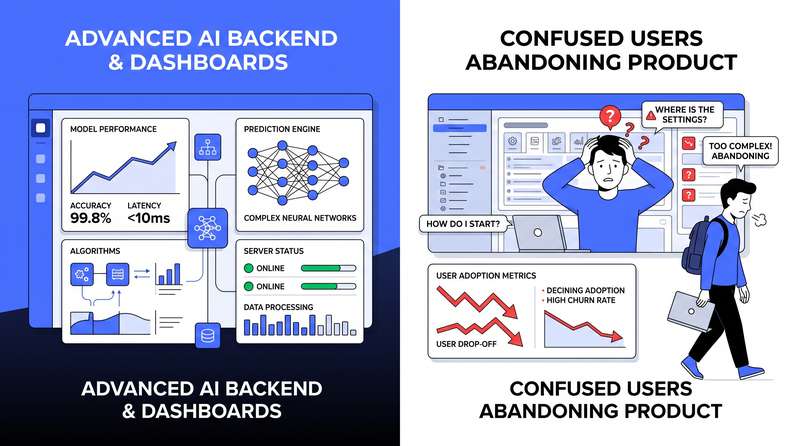
A US enterprise invests months and significant budget building an AI-powered product. The underlying models are excellent. The accuracy is strong. The backend engineering is solid. The product launches. And then almost nobody uses it. This scenario plays out with alarming frequency across US enterprise AI deployments, and the root cause is almost never the AI – it is the interface.
Some enterprise teams design interfaces that give users no indication that AI is involved in generating their outputs. Users who do not know an AI generated something do not know to verify it. They do not understand why output varied from yesterday’s output on the same input. Transparency about AI involvement does not require exposing technical details – it requires giving users enough context to interpret outputs appropriately.
The five most common UI/UX mistakes that kill enterprise AI adoption
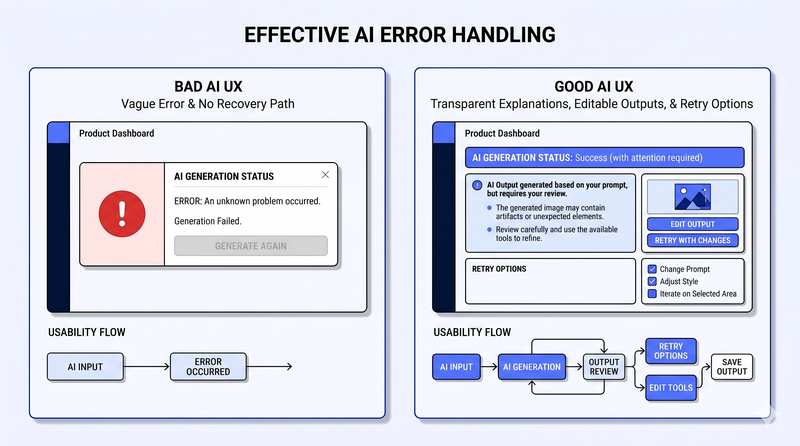
Most enterprise AI interfaces are designed for the happy path – polished and thoughtfully designed when the AI produces a correct, confident, well-formatted output. Everything else is an afterthought. Production AI interfaces need explicit design for low-confidence outputs, error states that communicate meaningfully without technical jargon, fallback experiences when the AI cannot handle a specific input, correction workflows allowing users to provide feedback without breaking their flow, and escalation paths for situations the AI handles poorly.
AI outputs in enterprise contexts frequently need to be reviewed, edited, approved, or discarded. Users need the ability to correct AI errors, adjust outputs to fit their specific context, and override AI recommendations when their judgment differs. Interfaces that do not provide this control force users to work around the system rather than with it – and they will choose workarounds every time.
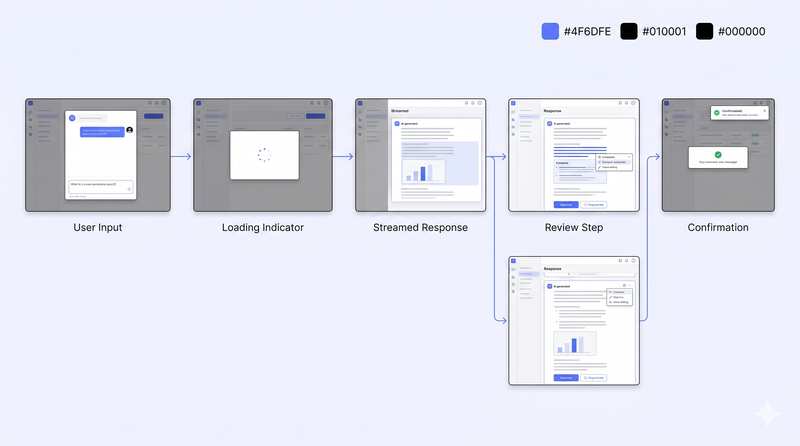
The most damaging pattern is inconsistency – an interface that sometimes shows a loading indicator and sometimes does not, that sometimes streams responses and sometimes displays them all at once, produces an experience that feels unreliable even when the underlying system is performing correctly. Users can adapt to slow systems. They cannot adapt to unpredictable ones.
The design principles shared by enterprise AI interfaces that achieve strong adoption
Enterprise AI interfaces that achieve strong adoption are transparent about AI involvement and its limitations without being technical or alarming. They maintain user control at the moments that matter most. They handle errors and edge cases as first-class design scenarios, not afterthoughts. They communicate latency and processing states consistently and predictably. And they are designed for the median user under real working conditions, not the ideal user in a demo scenario.
We help US enterprises make this decision based on their specific workload requirements, existing infrastructure, and long-term AI roadmap - not platform preference.
Get expert insights on your use case and identify the most effective path forward.